Can’t make a shift or session
If you can't work a shift or session, say so on Me. You stay on it until someone takes it, and your manager is told straight away.
Step 1. Open Me. Find the day in your week and press Can't make it on it.
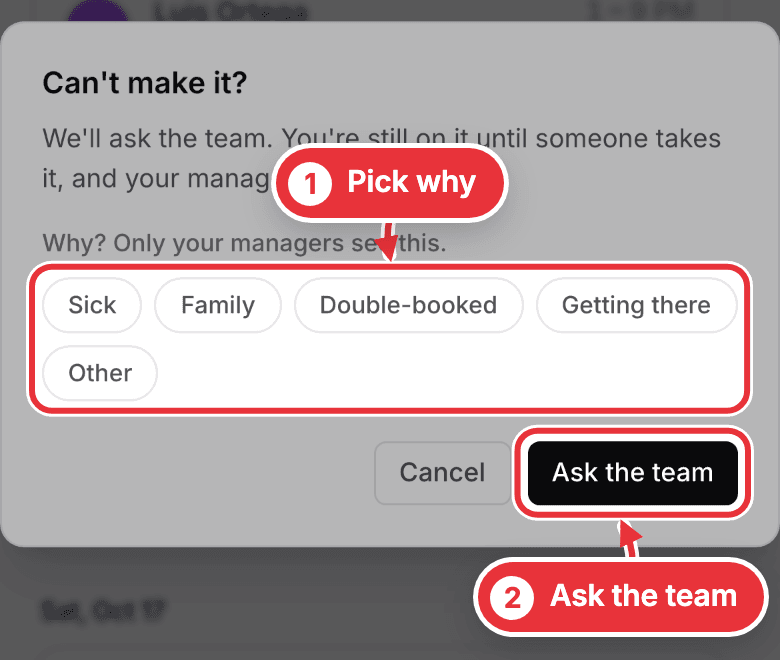
Step 2. Pick why (only your managers see it) and press Ask the team. On a shift, the day then says Offered to the team · you're still on it, and the first free person to take it gets it.
If you're the assistant, the producer or the host on a session, the button says Tell my manager instead. Your manager decides what happens, and you stay on it until they do.
Once it has started, there's no button: call your manager.