Choose who every session needs
Every session needs one engineer until you say otherwise. If yours also need an assistant, a runner or a host, set it once in Settings › Crew, and the Calendar flags every session that's missing someone.
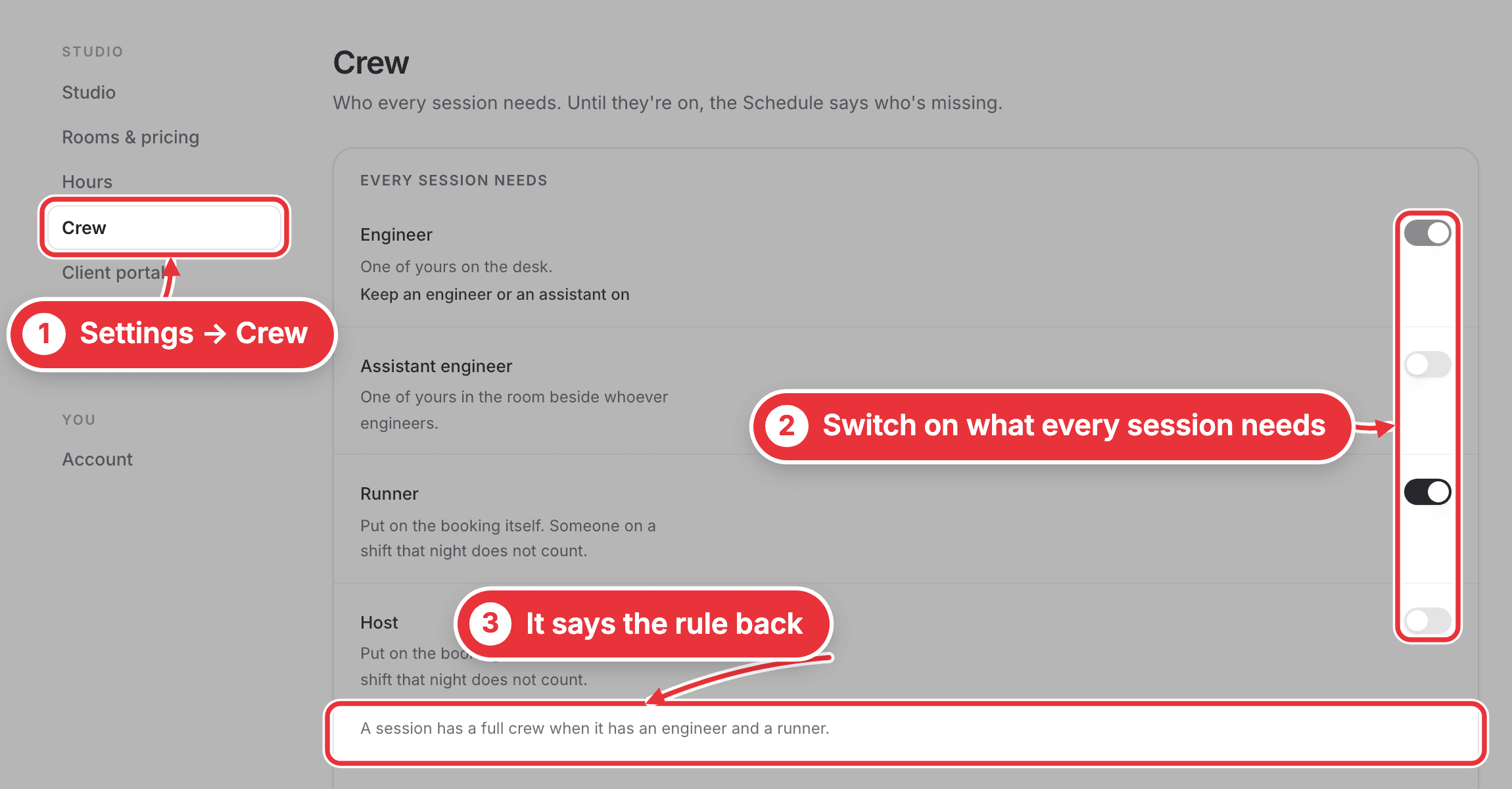
Step 1. Click your picture at the bottom of the sidebar (with the sidebar open, it's the arrow beside your name), choose Studio settings, then Crew. Switch on each job every session needs: Engineer, Assistant engineer, Runner or Host. The line underneath says the rule back, like "A session has a full crew when it has an engineer and a runner."
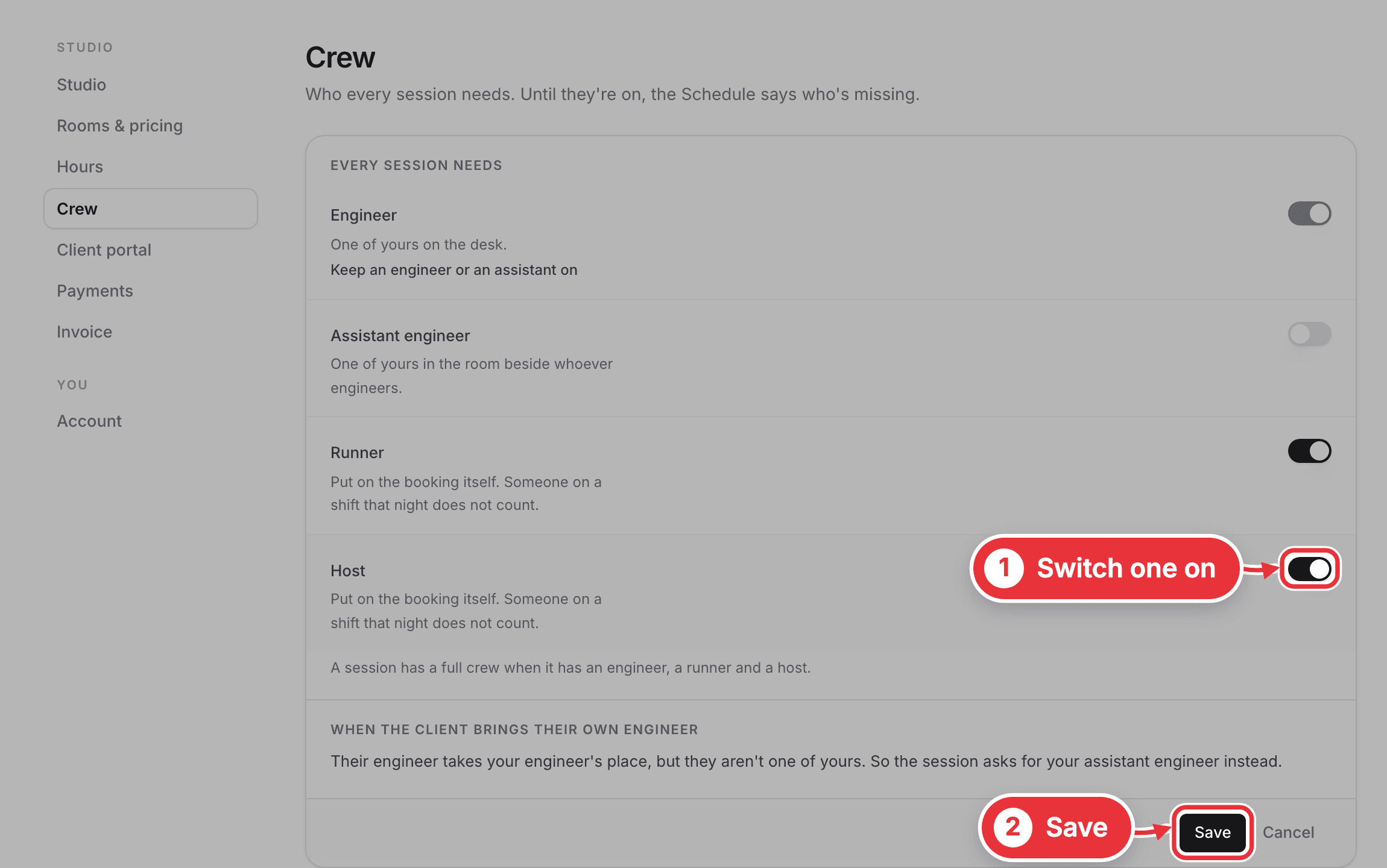
Step 2. Press Save. Bookings you've already made follow the new rule straight away.
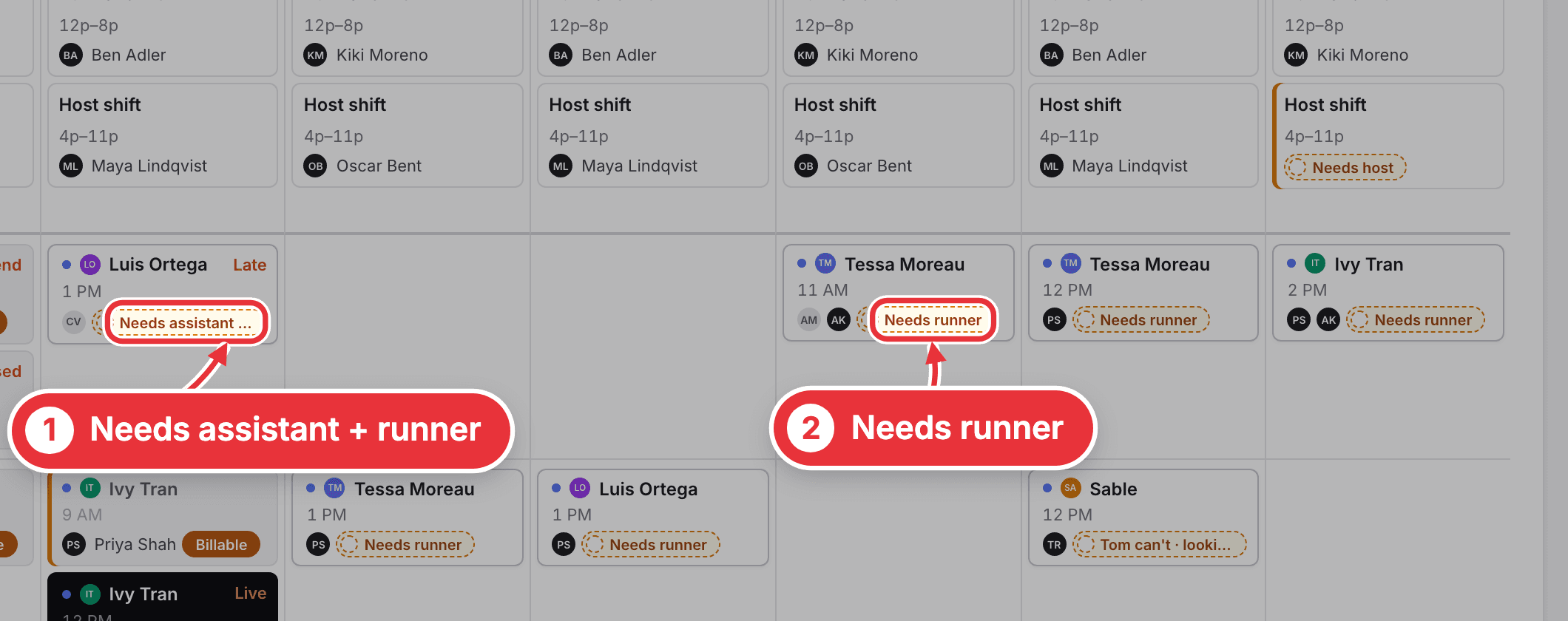
Step 3. The Calendar now names who's missing on each session, like Needs runner or Needs assistant + runner. With three or more missing, it says something like Needs engineer +2.
Good to know
- It's one rule for the whole studio, and each job means one person.
- An engineer or an assistant engineer always stays on, so someone of yours runs every room.
- Runners and hosts count only when they're put on the booking itself. Someone on a shift that night doesn't count.
- If the client brings their own engineer, the session asks for your assistant engineer instead.