Give each person their job
Each person on your team has a job, set on Team. Their job names their shifts, like "Host shift" or "Runner shift", and decides how they're paid: by the session, the hour or the day.
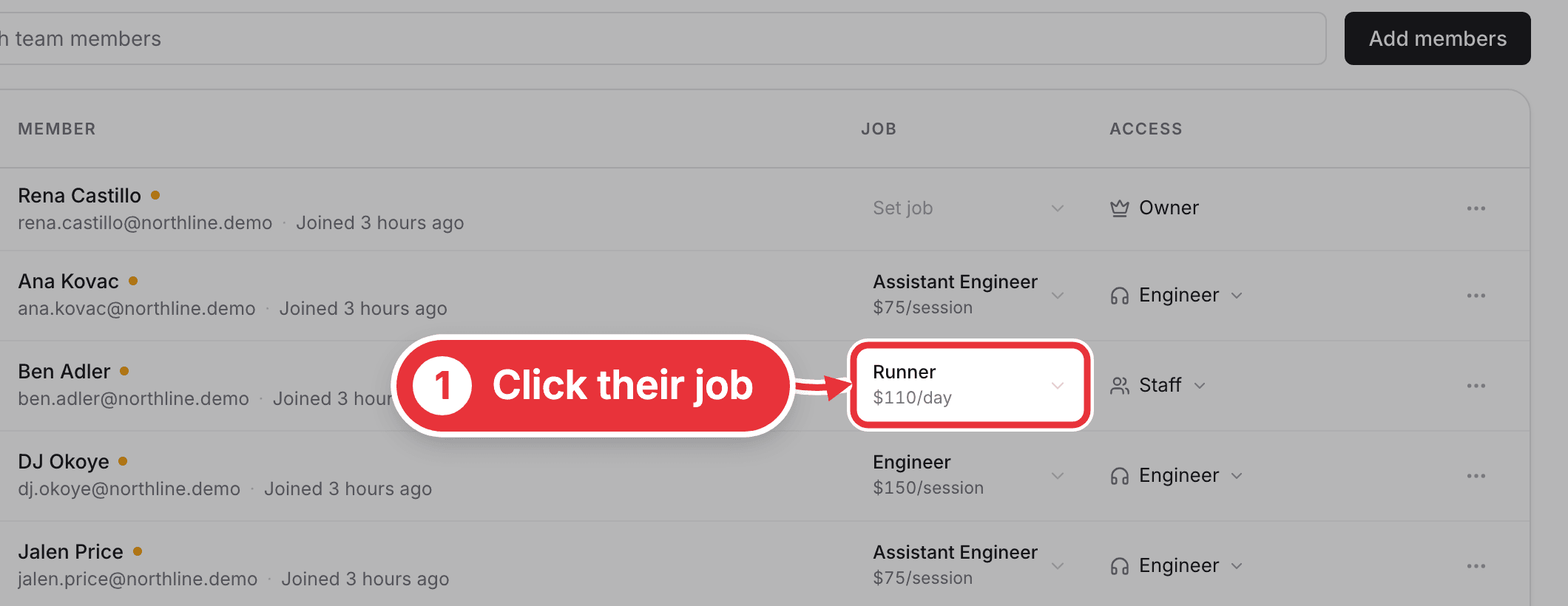
Step 1. Open Team in the sidebar. Click Set job if they don't have one yet. If they already have one, click it (for example Runner) to change it.
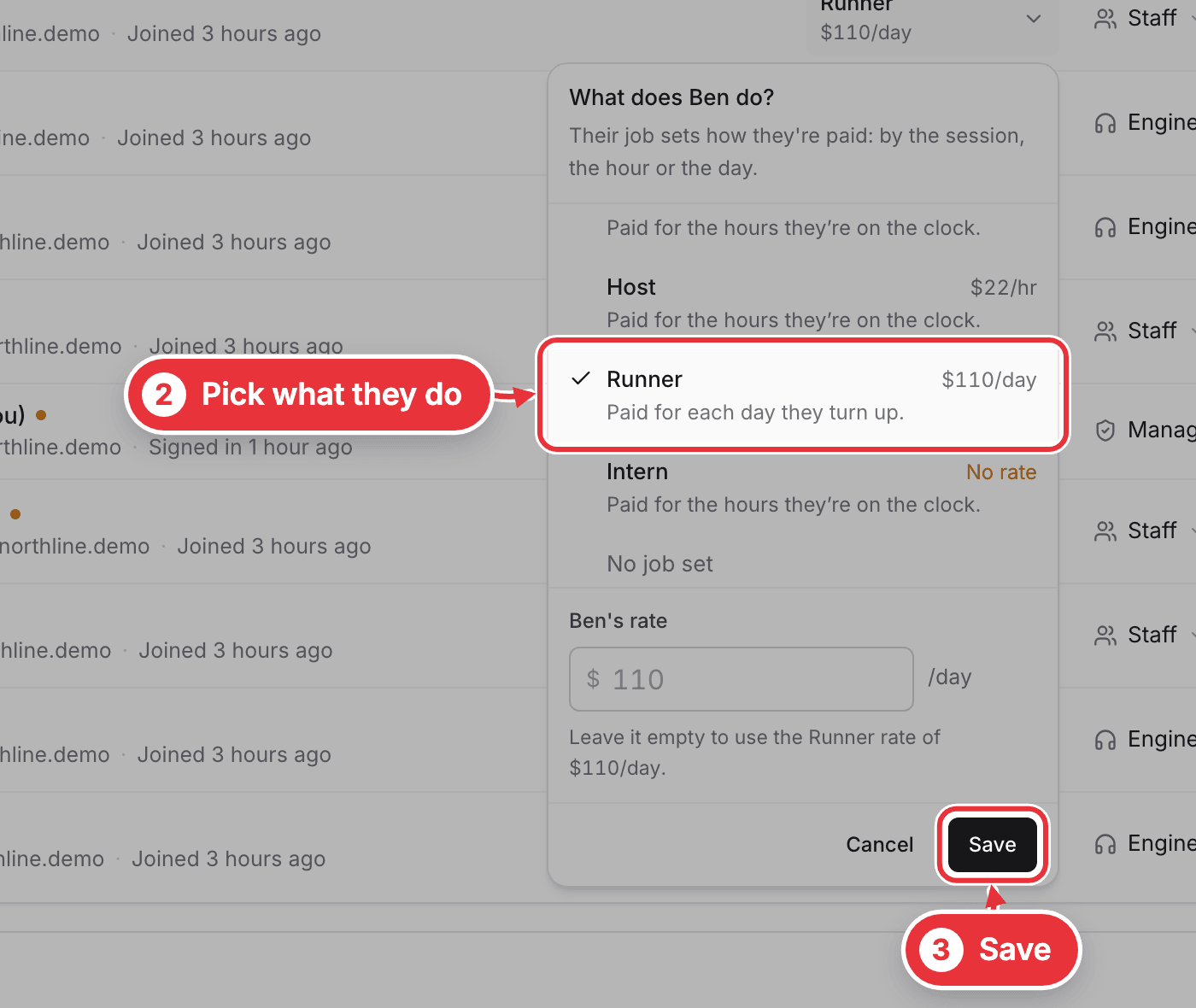
Step 2. Pick what they do, like Engineer, Assistant Engineer, Host, Runner or Intern. Press Save.
New person? Press Add members on the same page to invite them, then set their job once they've joined.
Only people paid by the hour see a clock. Everyone else's sessions and shifts are the record of what they worked.