Put an engineer on a session
Engineers and assistants go on the session itself, not on a shift. A session with nobody of yours on it says Needs engineer on the Calendar until you fill it.
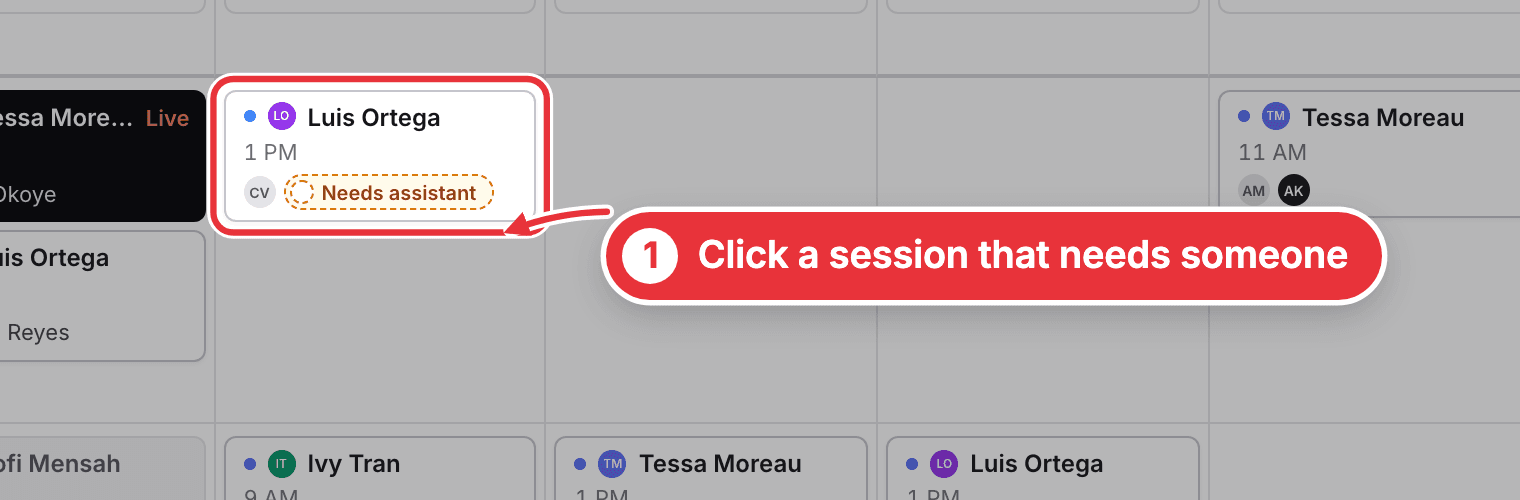
Step 1. On the Calendar, look for a session that says Needs engineer or Needs assistant. Click it. If you've switched on more jobs under Crew, it can also say Needs runner or Needs host.
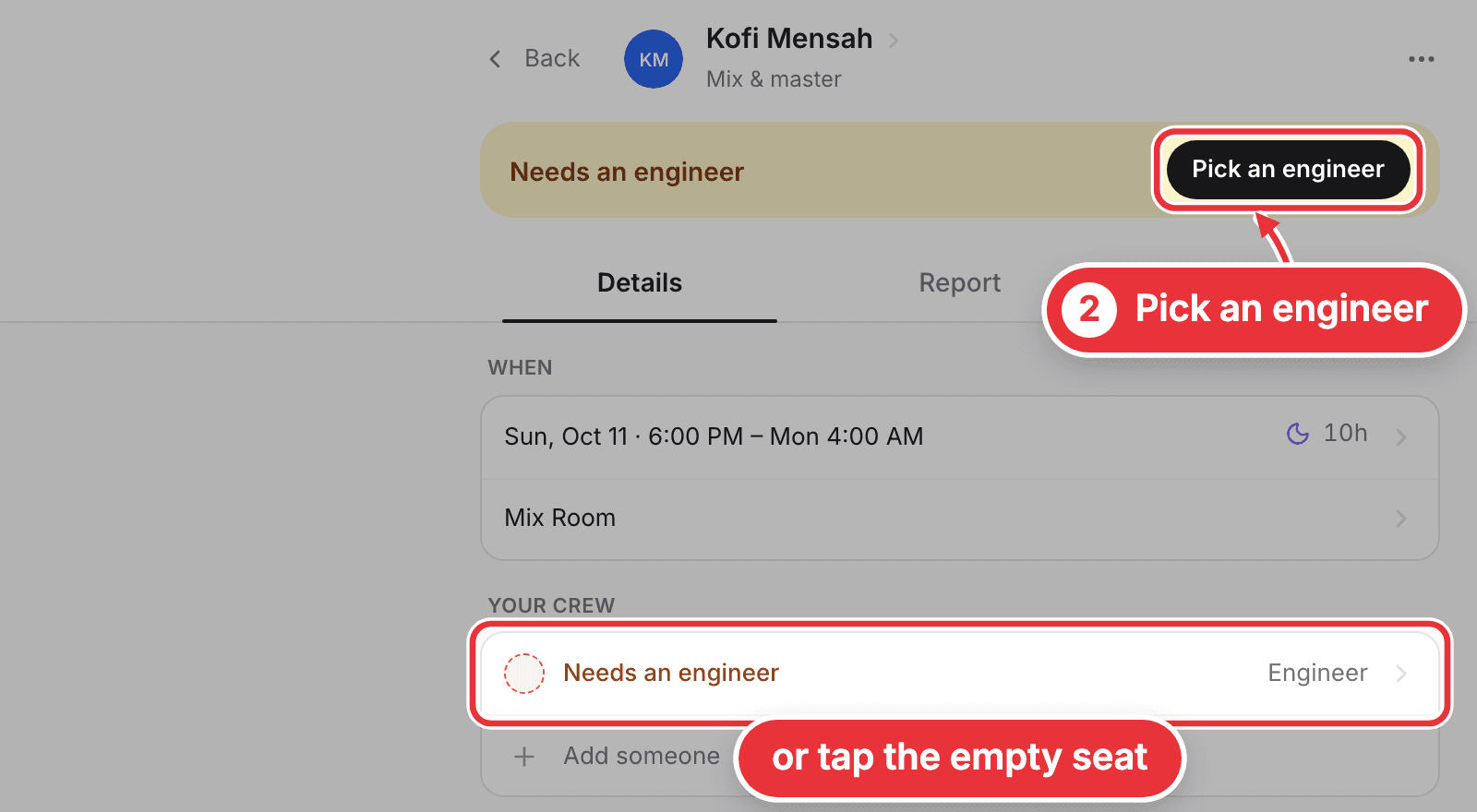
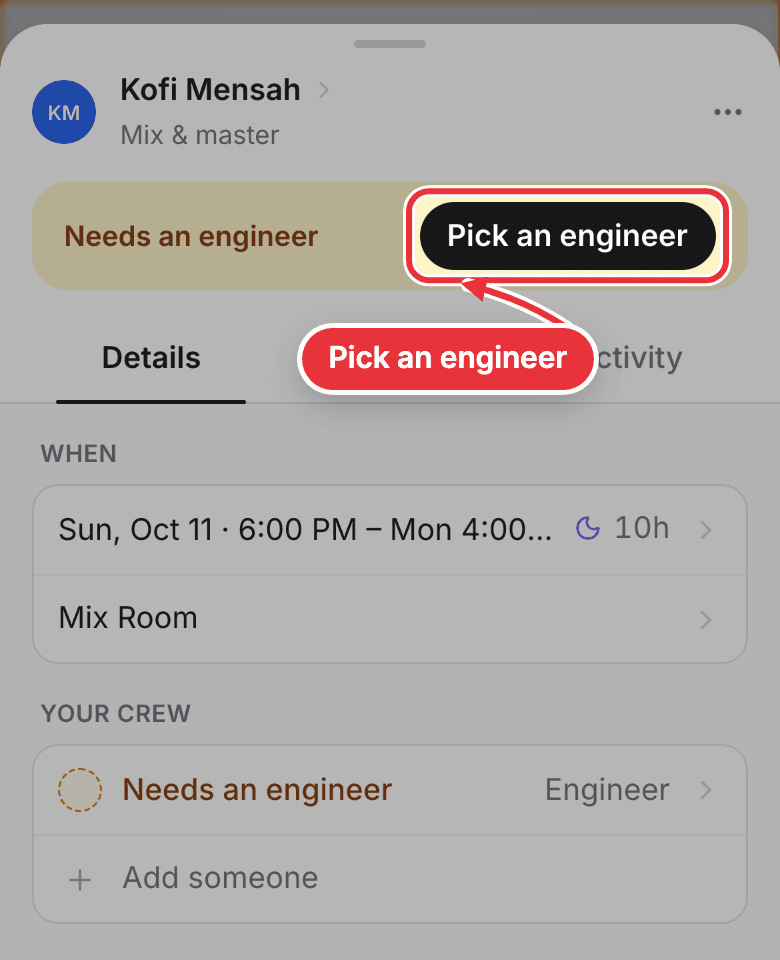
Step 2. Press Pick an engineer at the top. Or tap the empty seat under Your crew. For another job the button says Pick an assistant, Pick a runner or Pick a host.
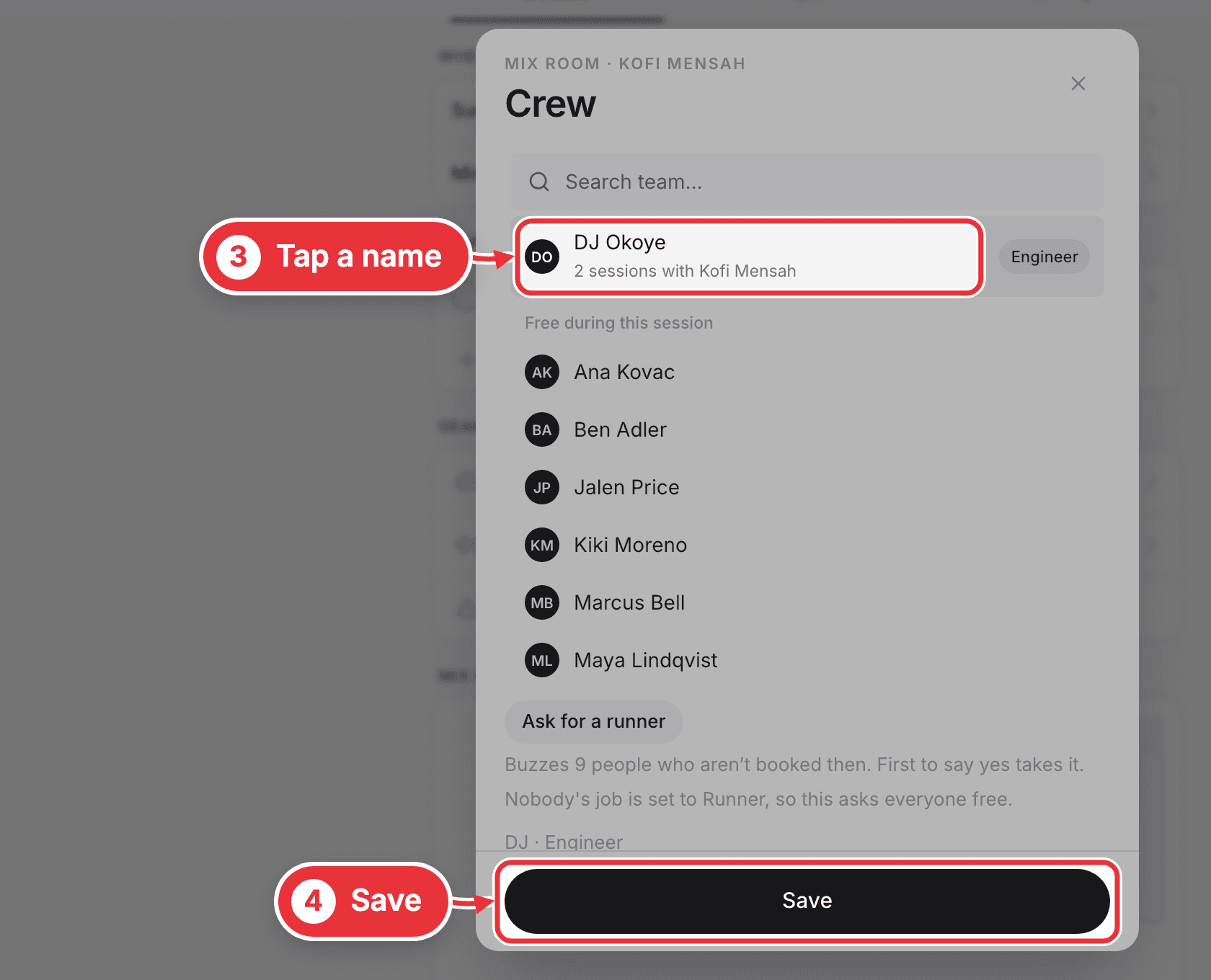
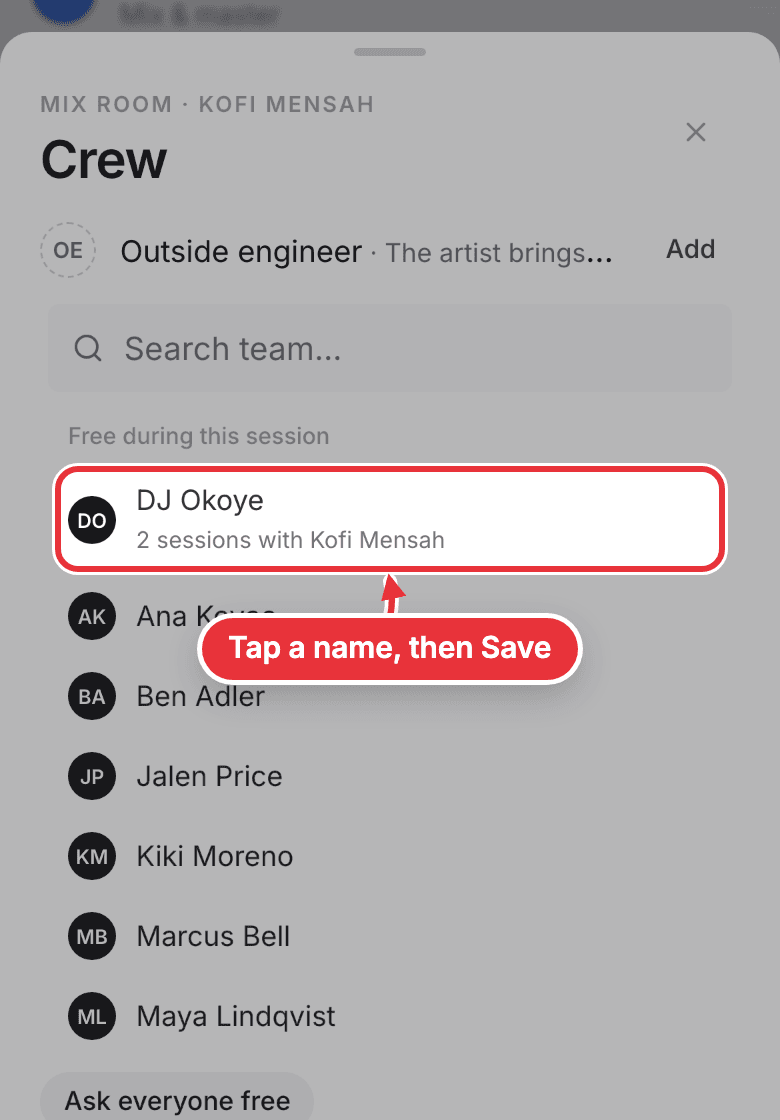
Step 3. Tap a name. People free during the session are listed first. Press Save.
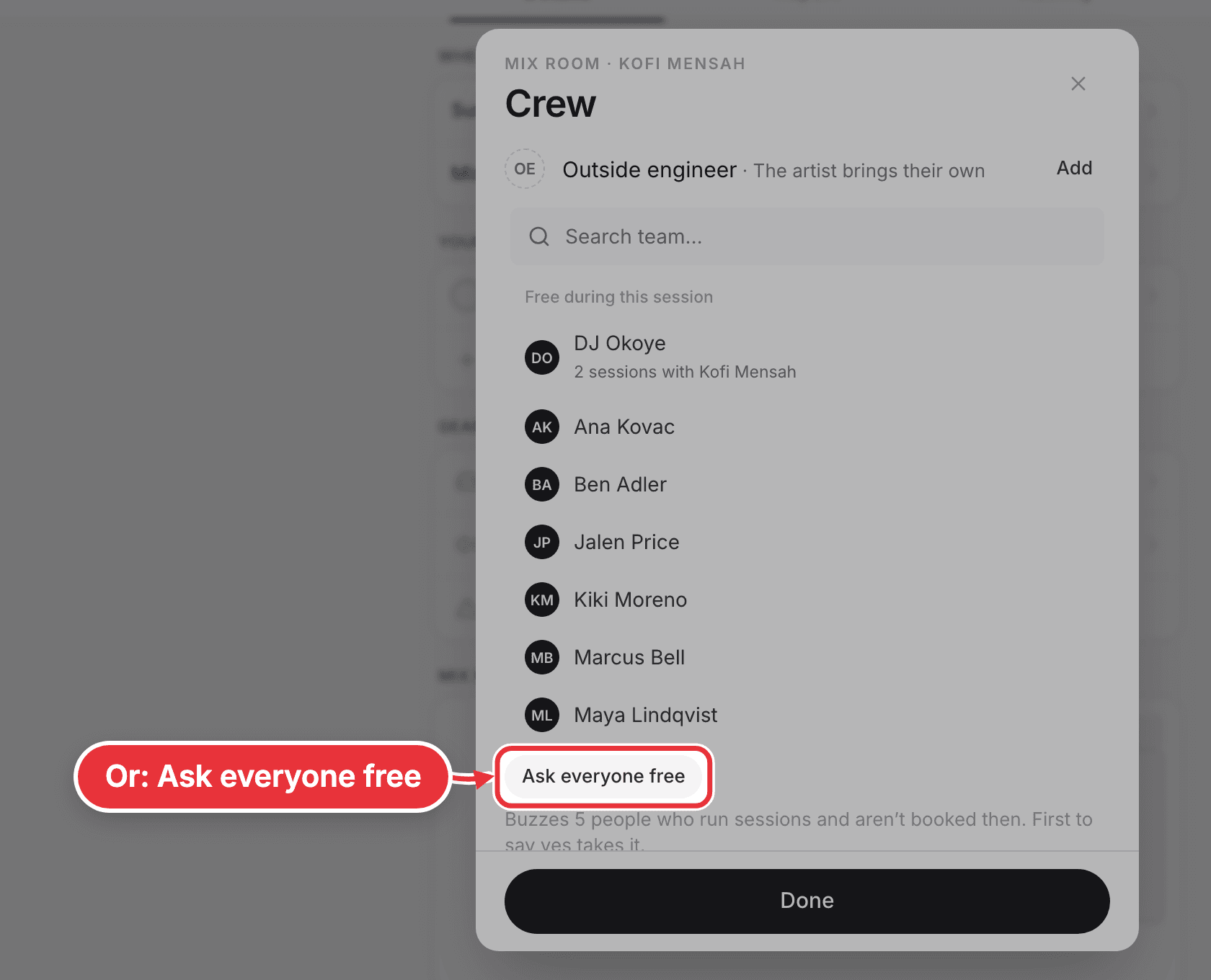
No one in mind? Press Ask everyone free instead. Every free engineer gets a message, and the first to say yes takes it. Missing a runner? Ask for a runner does the same for the people whose job is Runner.
Booking a new session? You can pick the crew right there: the Crew line is in the New session form.
On your phone
Staff a session from your phone the same way: tap the session, then Pick an engineer, then tap a name and Save.
There's also one list of every gap. On your own Me page, look under Needs people: it shows everything that still needs someone over the next 7 days, open shifts included, and only shows when something does. Press Find someone, then Put on next to a name, and it saves at once. An empty engineer seat also offers Ask everyone.