When someone can’t make it
When someone presses Can't make it, you get an alert, and in most cases the app asks the team for you. They stay on until someone takes it or you step in: nobody is ever taken off on their own.
On a shift
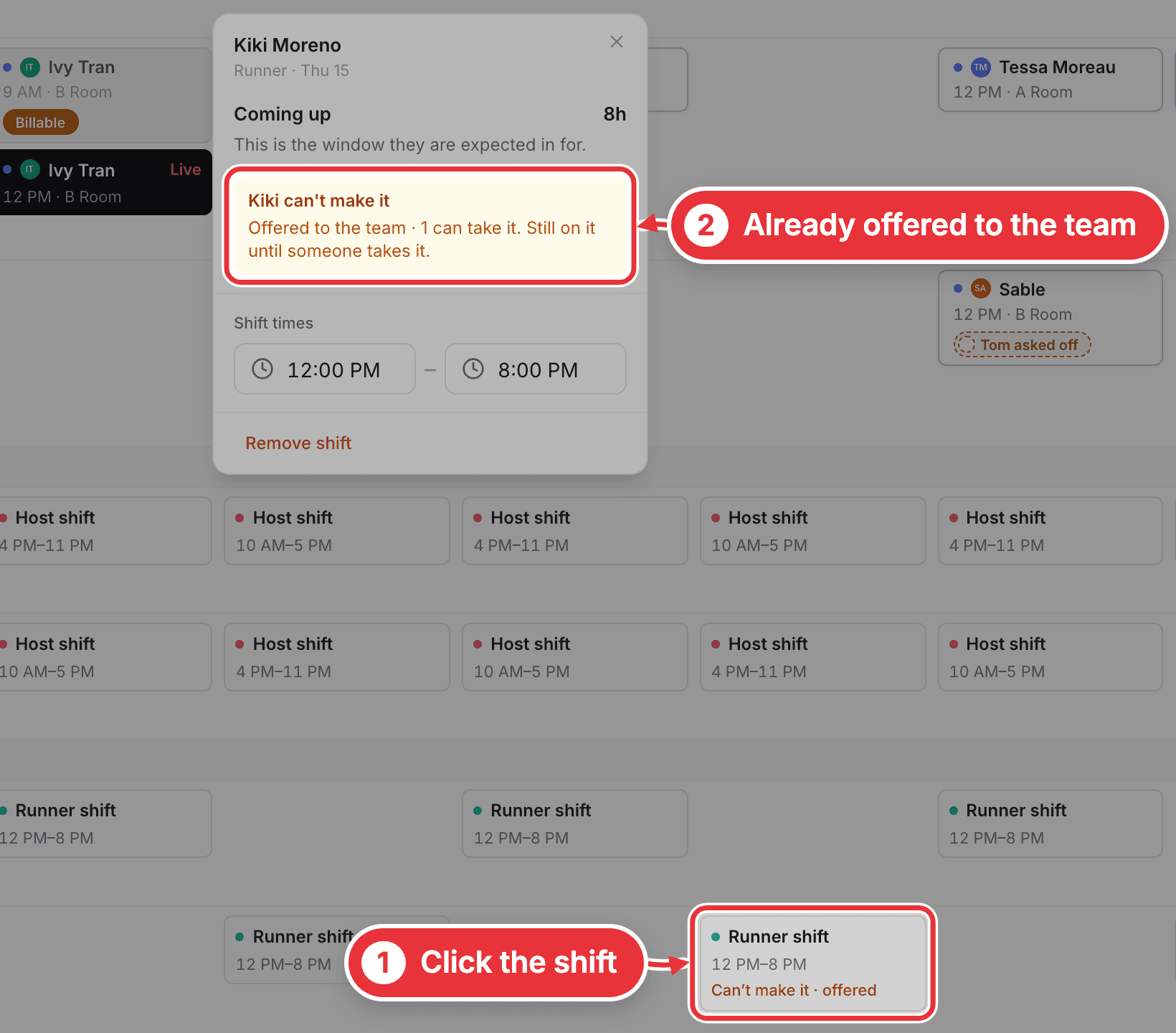
Nothing to press. It goes to the team by itself, and the first free person to take it gets the shift. In the Staff view it says Can't make it · offered. If it says Nobody can take it, put someone on yourself.
On a session
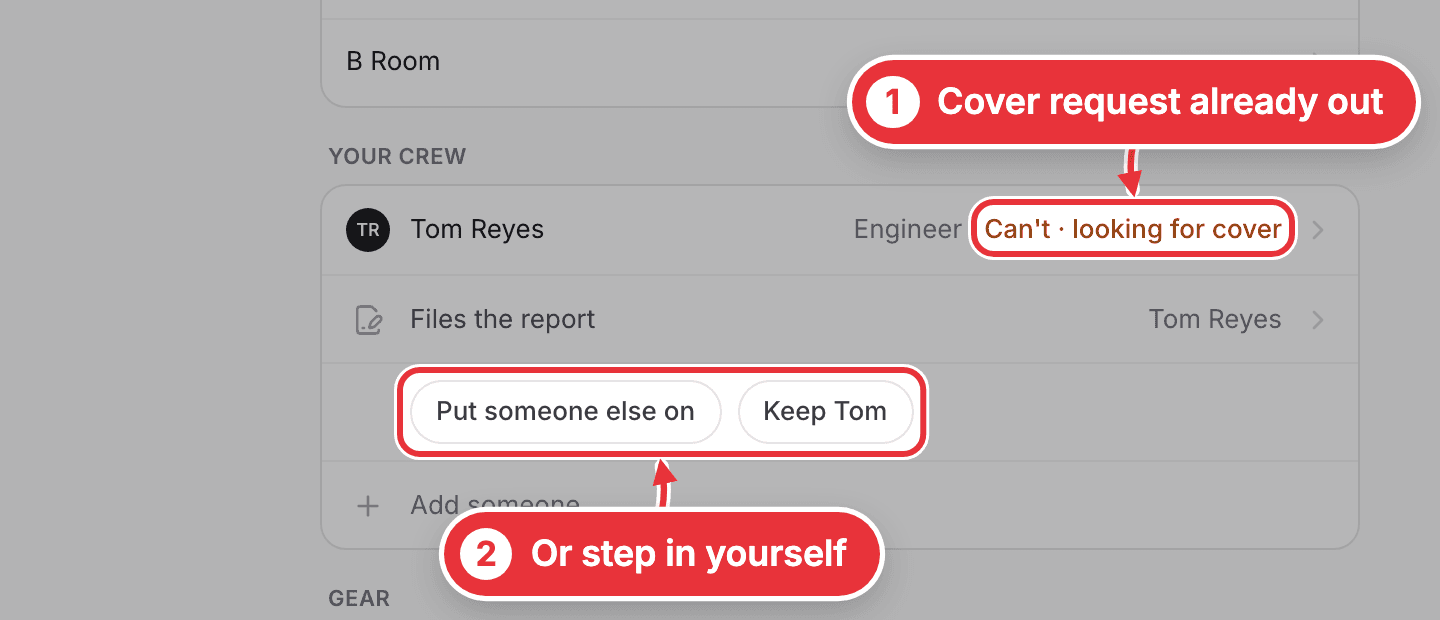
If it's the engineer or the runner, a cover request goes out by itself to everyone free who does that job, and their row says Can't · looking for cover. To step in, choose Put someone else on, or keep them with Keep and their first name (like Keep Tom).
If it's anyone else on the crew, like the assistant or a host, nothing goes out on its own, so those two choices are yours.
The three cases
| Who can't make it | What happens | What you do |
|---|---|---|
| A host or runner on a shift | It goes to the team by itself. The first free person to take it gets it. | Nothing, unless it says Nobody can take it |
| The engineer or runner on a session | A cover request goes to everyone free who does that job. | Put someone else on, or Keep them |
| Anyone else on a session, like the assistant | Only you are told. | Put someone else on, or Keep them. Doing nothing keeps them on |
Once it has started there's no button: they call you.