Who sees what on your team
Your staff see the calendar and their own work. Money and client contact details are for managers and the owner, unless the owner switches them on for one person. The app checks this before anything reaches the screen, so it holds on every phone and computer.
At a glance
"Staff" here means engineers, assistants, hosts and runners. "Switched on" means the owner turned it on for that one person.
| What | Staff | Managers and the owner |
|---|---|---|
| The Calendar, every session | Yes | Yes |
| Their own sessions and shifts, on Me | Yes | Yes |
| Clients, their tags and preferences | Yes | Yes |
| Client phone numbers, emails, billing addresses, tax IDs | Only if switched on | Yes |
| Prices, rates, what clients owe and what's been paid | Only if switched on | Yes |
| Who pays for an artist (their label or company), and a label's deals | Only if switched on | Yes |
| A session's PO number | No | Yes |
| The Invoices page, and sending or editing invoices | No | Yes |
| A session's Activity tab | Yes, without the lines that show a price | Yes |
| A note a manager has locked ("Managers only") | No | Yes |
| A note flagged with Let managers know | Yes: it alerts managers but isn't hidden | Yes |
| Requests, Pay and Team | No | Yes |
| Gear | View it and report a problem | Add and edit it too |
Staff: if you don't see prices or a client's phone number, that's on purpose. Ask your manager if you need it.
Give one person more
The owner can let one person see money or client contact details without making them a manager. It's set per person, not per job.
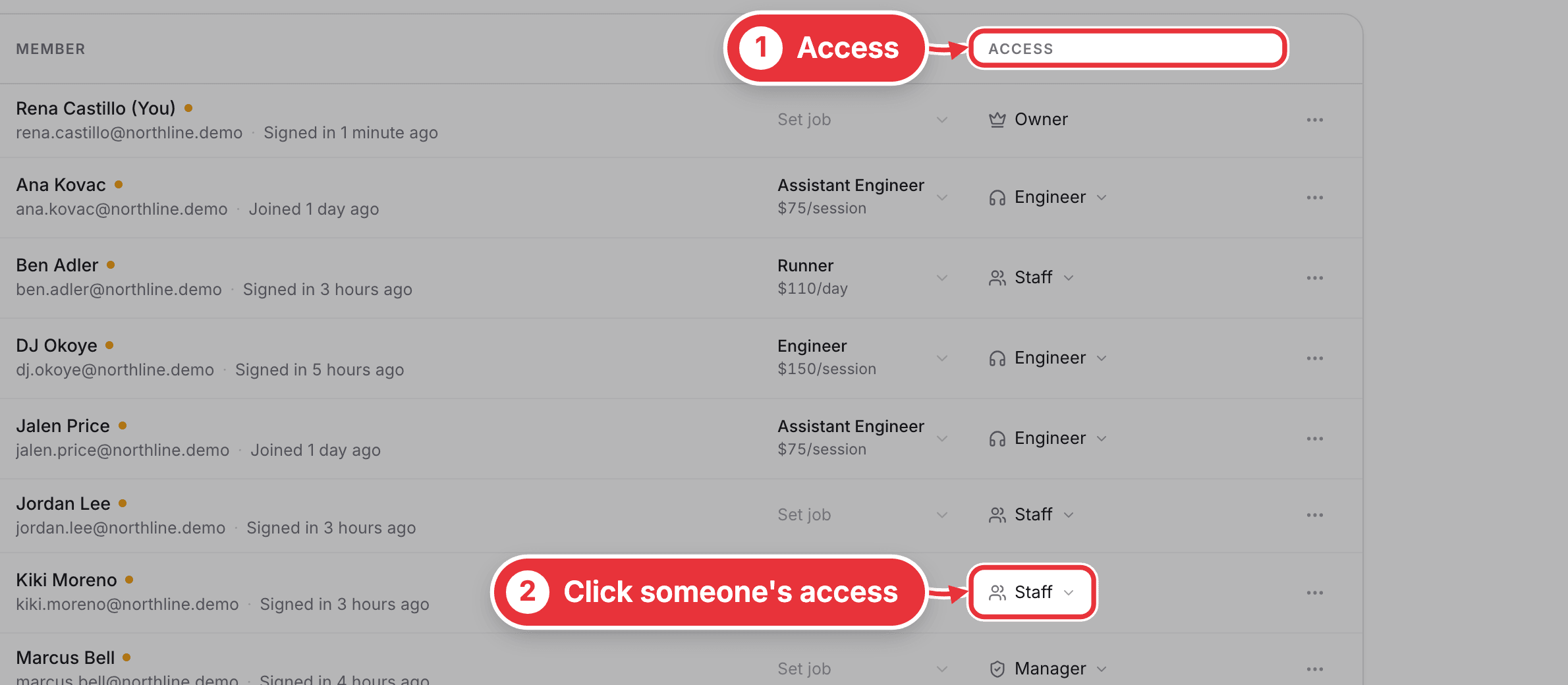
Step 1. Open Team in the sidebar. In the Access column, click the person's access. It shows their role, like Staff.
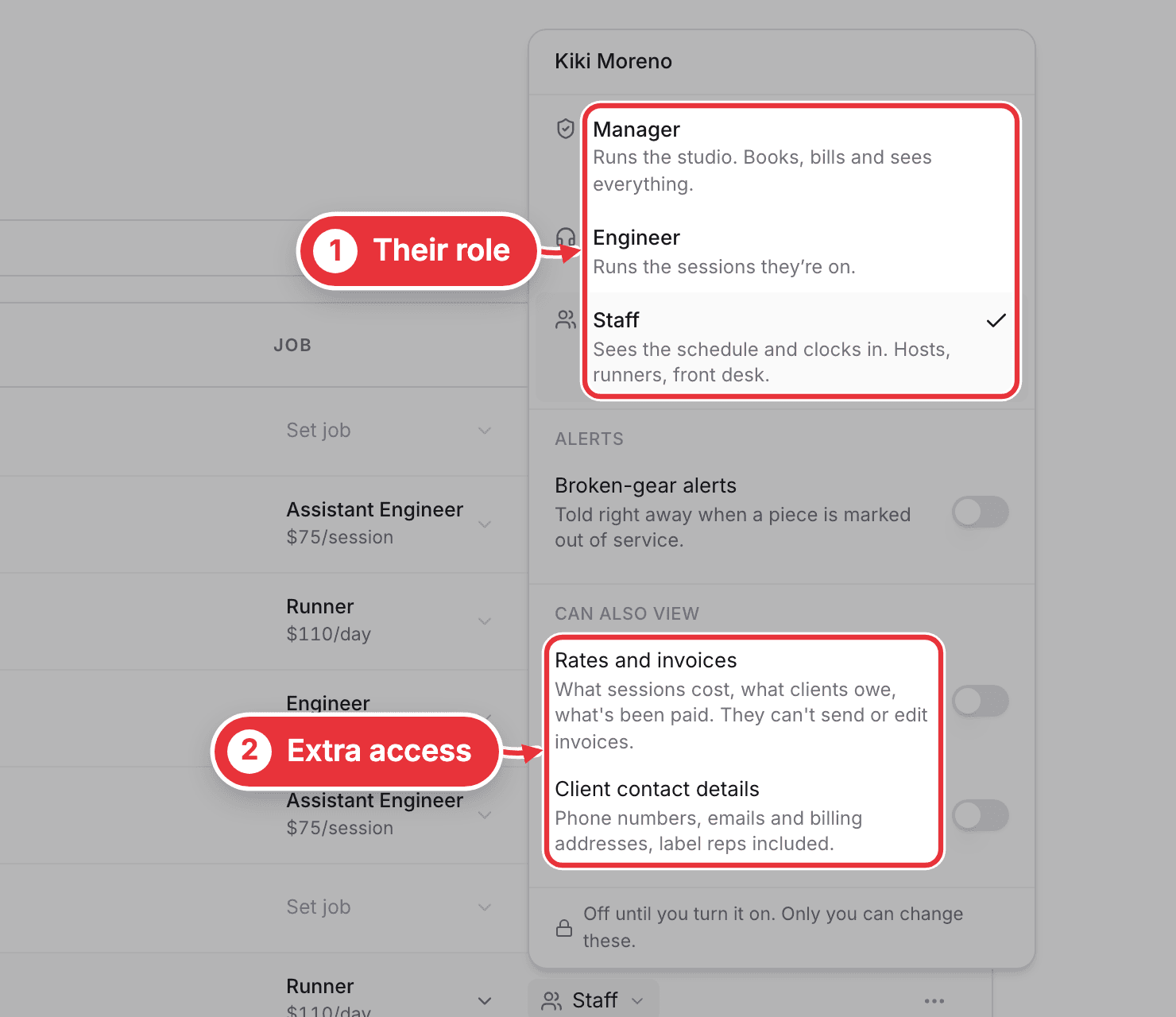
Step 2. Under Can also view, switch on what they need:
- Rates and invoices: what sessions cost, what clients owe, what's been paid and who pays for each artist. They still can't send or edit invoices.
- Client contact details: phone numbers, emails and billing addresses, label reps included.
Only the owner can change these. In the same menu, Broken-gear alerts tells that person straight away when a piece is marked out of service.
Roles and managers
The top of the same menu sets the person's role. It's separate from their job (Engineer, Host, Runner and so on), which sets their shift name and pay.
- Manager: runs the studio. Books, bills and sees everything.
- Engineer: runs the sessions they're on.
- Staff: sees the calendar and clocks in. Hosts, runners, front desk.
Any manager can move someone between Engineer and Staff. Only the owner can make someone a manager.
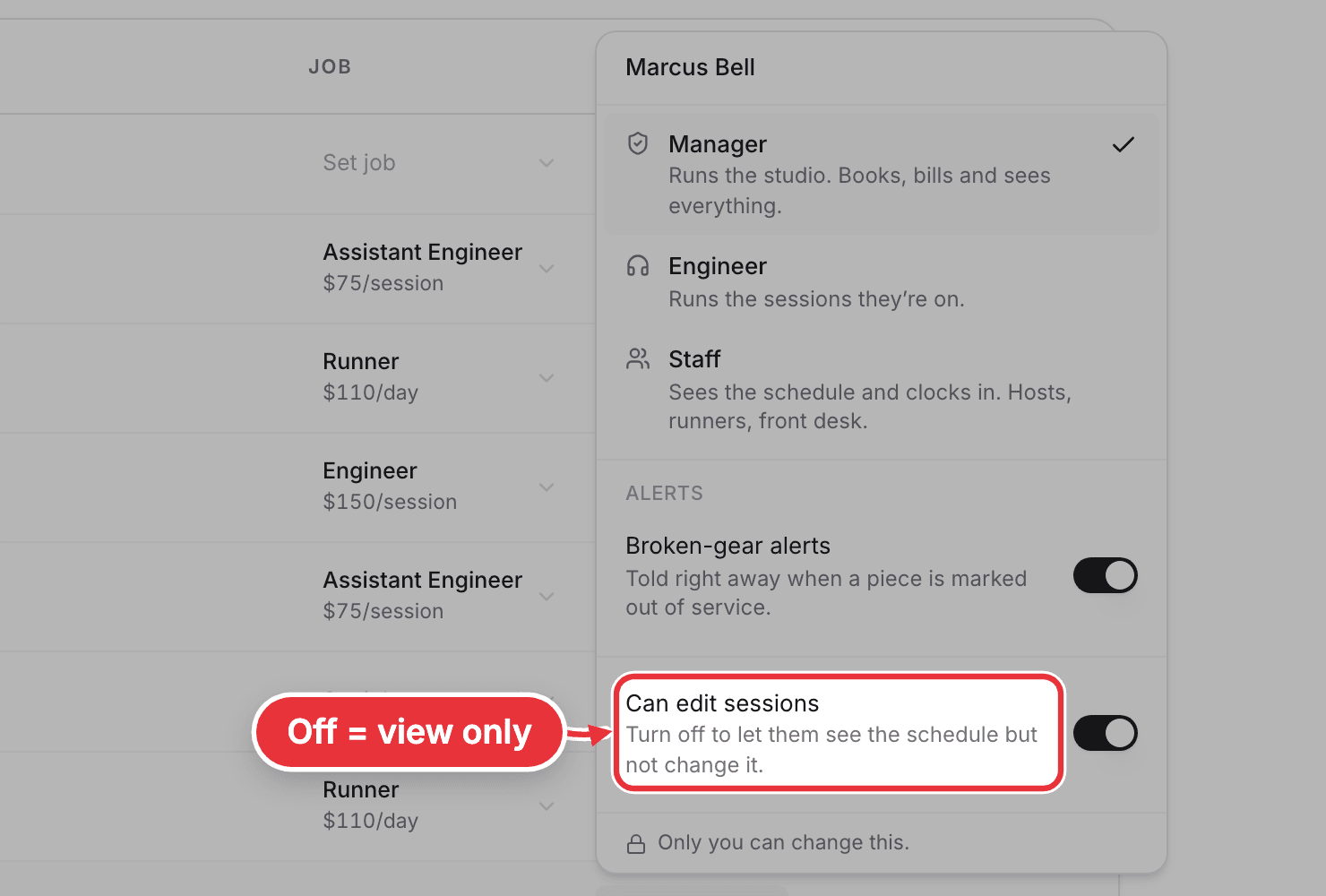
View-only managers. For a manager, the owner can switch off Can edit sessions. They still see the calendar, money, clients and invoices, but can't book, move, start, end or cancel sessions. Their access then reads Manager view only.
On a phone. The Access column is hidden. Tap ⋯ on the person's row for Can see rates and invoices, Can see client contacts, Can edit sessions and Broken-gear alerts. Roles can only be changed on a computer.