Run a session
Engineers and assistants run their sessions from Me. Your sessions are on Me, listed by day: tap one to open it.
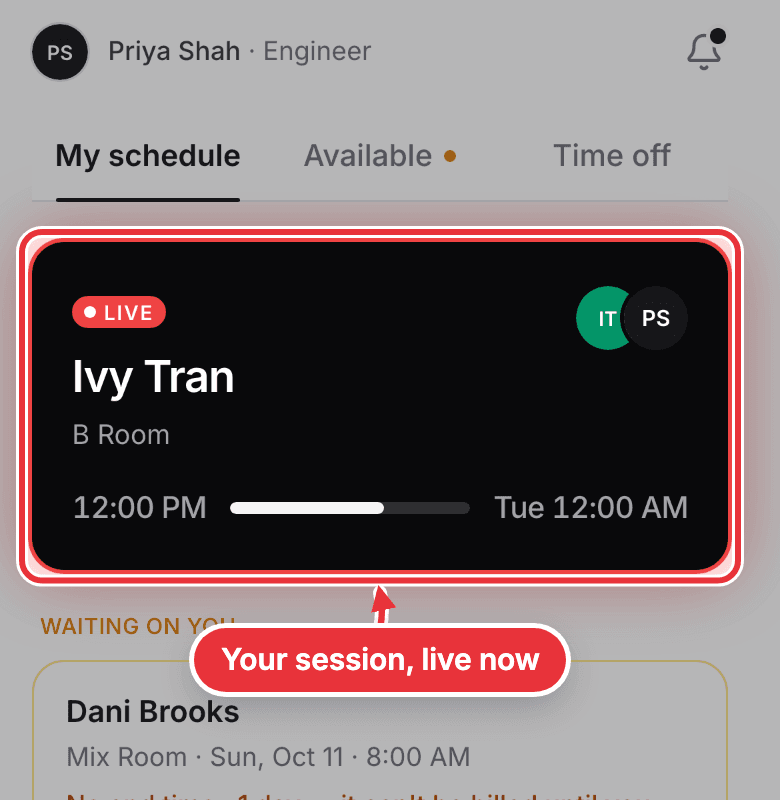
Step 1. A session that's on now sits at the top of Me in black. Tap it to open it.
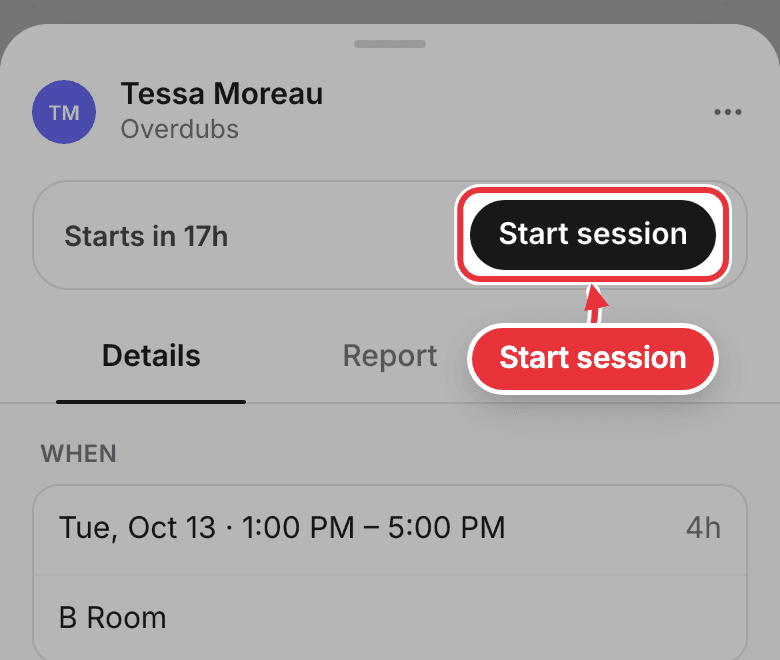
Step 2. The session's engineer starts it: open the session, press Start session, then Start now. The top of the session says how long until it starts. Assistants don't get the button: your engineer or a manager starts it.
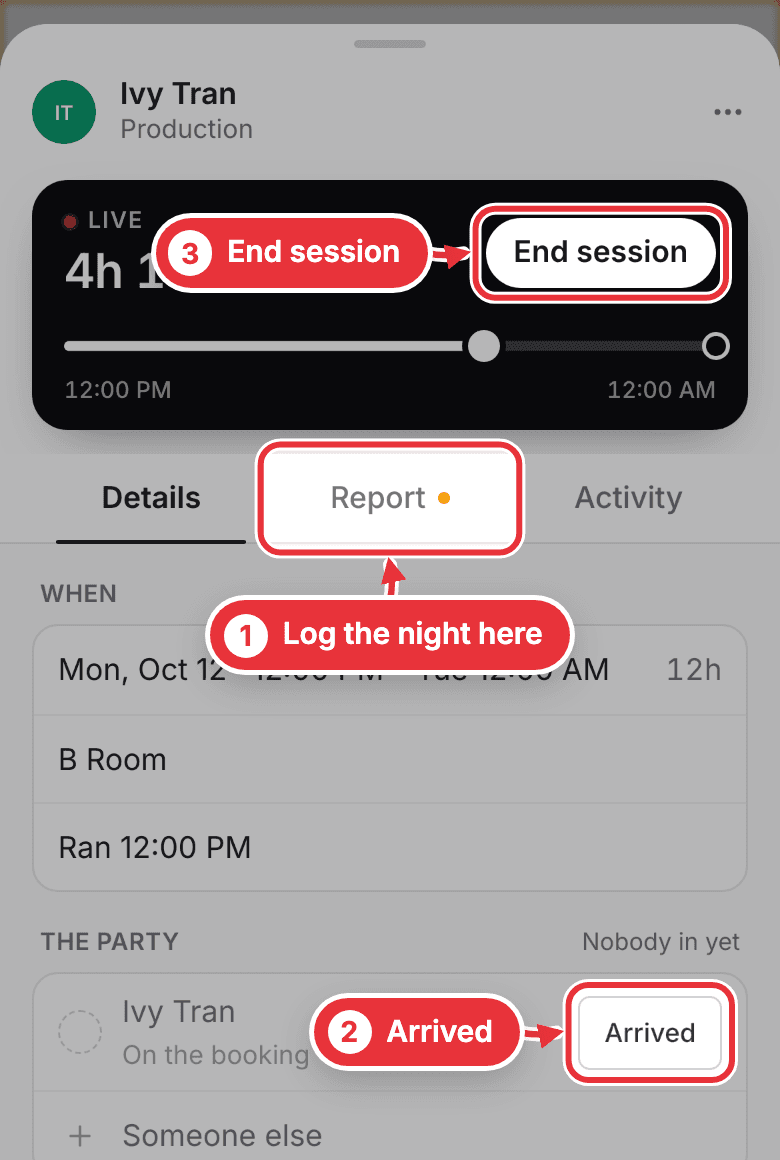
Step 3. While it's live, use the Report tab to log songs, the hard drive and smoking as they happen. A dot on the tab means something there is still yours to fill in. No host tonight? Press Arrived when the artist walks in. When you're done, the engineer presses End session.
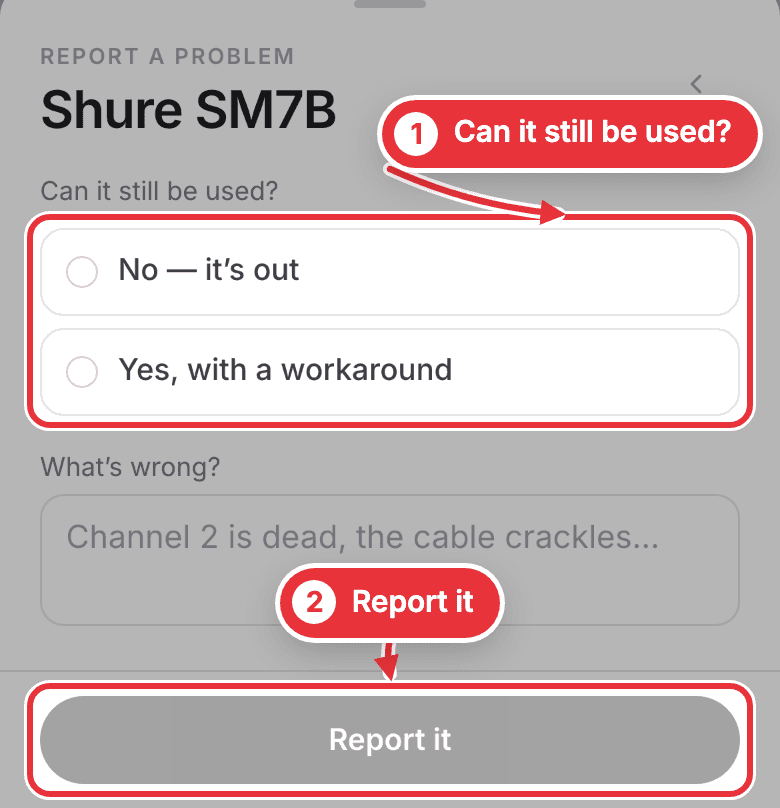
Step 4. Something broke? Under Gear, press Report a problem and pick the piece. Say whether it can still be used, add what's wrong, and press Report it. If it's out, the managers, engineers and assistants are told straight away.
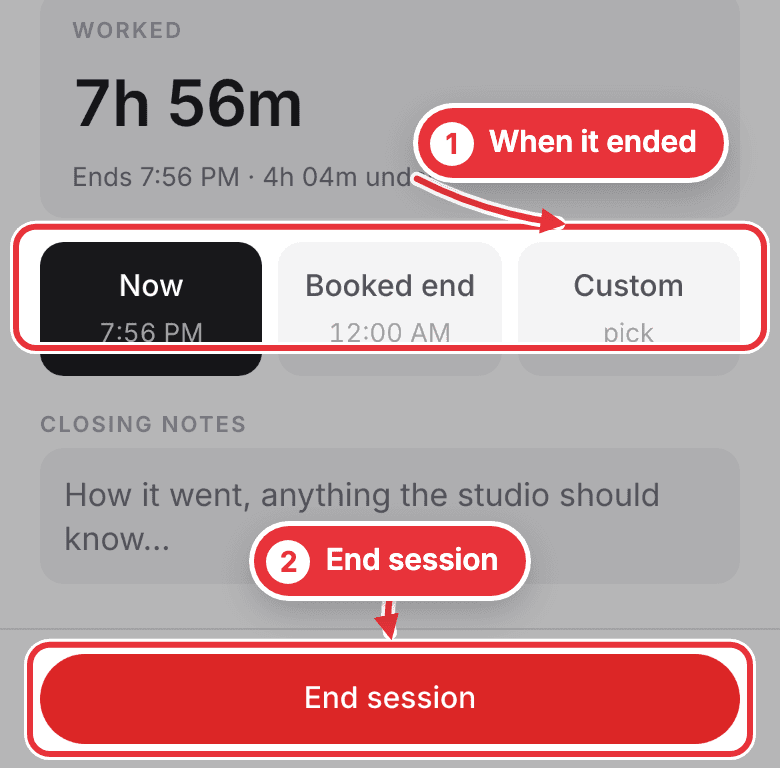
Step 5. Engineers: when you press End session, pick when it ended: Now, Booked end or Custom. Add closing notes if you like, then press End session.
Then file the report: see File the session report.